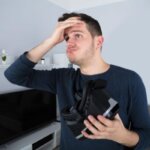
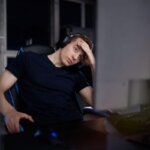
Feel dizzy after VR can feel different from ordinary screen dizziness because the virtual world moves while your body stays still. The useful judgment is whether the dizziness came from visual-motion mismatch, headset settings, session length, or a pattern that should not be treated as normal VR adjustment.
1. Feel Dizzy After VR: What the First Pattern Suggests
Dizziness after VR should be judged by what started first. If the room feels slightly unreal, your balance feels delayed, or your stomach turns during movement in the headset, the main trigger is usually VR motion sickness. If the dizziness appears with blurry vision, eye pulling, or a strained focus feeling, the headset setup may be part of the problem.
VR creates a stronger body conflict than normal gaming because the display fills your visual field. Your eyes may see walking, turning, flying, falling, or riding, but your inner ear still reports that your body is sitting or standing in the same place. That mismatch is the core reason some people feel dizzy after using a VR headset even when they can handle phones, monitors, or TV screens without much trouble.
The key is not just “VR made me dizzy.” The key is which part of the VR experience created the mismatch. Smooth movement, artificial turning, 360 videos, long sessions, poor headset clarity, and heat inside the headset can all produce dizziness, but they do not all require the same fix.
2. When VR Motion Sickness Starts During Movement
VR motion sickness, also called cybersickness, is most likely when dizziness begins during smooth walking, joystick movement, flying, racing, climbing, falling, or fast turning. These movements tell your eyes that your body is moving through space, but your muscles and inner ear do not feel matching movement. That conflict can create dizziness, nausea, sweating, stomach discomfort, or a floating feeling after you remove the headset.
Smooth locomotion is one of the biggest clues. Teleport movement usually feels easier because it skips continuous visual travel. Snap turning usually feels easier than smooth turning because the camera does not slide through every degree of rotation. Comfort vignettes can also help because they narrow the moving visual field during motion, making the artificial movement less overwhelming.
Do not test your tolerance by pushing through early dizziness. VR sickness often gets worse when you continue after the first warning sign. The better move is to stop while symptoms are still mild, look at a fixed object in the room, sit down, and wait until the floating or spinning feeling clearly settles before trying again.
If regular screens also trigger nausea or dizziness, Feel Sick After Playing Video Games: Motion Sickness or Visual Overload? is the next pattern to check.
3. When the Headset Setup Makes Dizziness Easier to Trigger
Not all VR dizziness comes only from motion. A headset that is slightly blurry, poorly centered, too tight, too warm, or poorly matched to your eyes can lower your tolerance before the game even becomes intense. In that case, dizziness may arrive faster than expected because your visual system is already working harder to keep the image stable.
IPD, lens position, headset height, and image clarity matter. If the image never feels fully sharp, one side looks clearer than the other, text feels uncomfortable, or you keep adjusting the headset while playing, your eyes may be fighting the display. That strain can mix with VR motion and make dizziness feel stronger, especially in games that already use artificial movement.
Fit also changes the pattern. A headset that presses hard on your forehead, temples, cheekbones, or nose can create pressure and eye discomfort that makes the whole session feel disorienting. This is different from pure VR motion sickness. If loosening or balancing the headset quickly reduces the discomfort, setup was not a minor detail. It was part of the trigger.
If dizziness comes with forehead pressure or eye strain, Headache After Using a VR Headset: Fit, IPD, or Motion Sickness? is the better next check.
4. Why 360 Videos Can Feel Worse Than Games
Dizziness after 360 videos can feel confusing because they look passive, not physically intense. In reality, 360 videos can feel worse for certain users because your view changes inside a filmed environment that your body cannot physically match. The scene may move, tilt, glide, or rotate in a way that gives your eyes motion cues without giving your body control.
Control matters. In many VR games, you can stop, teleport, turn slowly, or choose a comfort mode. In a 360 video, the camera movement may be fixed. If the video moves forward, swings around, or changes direction while you are sitting still, your brain receives motion information that you cannot correct with your own movement. That can make dizziness appear quickly, even if the video seems calm.
This is why a short 360 roller coaster, travel video, drone-style scene, or moving camera experience can feel worse than a stationary rhythm game. The issue is not only intensity. It is whether your body has enough control and stable reference points to understand what is happening.
5. How Long VR Dizziness Should Last
If you are wondering how long VR dizziness should last, the first sign to watch is whether symptoms steadily fade after you stop. Mild VR dizziness often improves after you remove the headset, sit still, look at real-world objects, and avoid more moving screens for a while. If symptoms fade steadily, the pattern usually fits a trigger-response reaction.
Lingering dizziness deserves more caution when it lasts into the next day, returns with very short sessions, or makes normal walking, turning your head, or looking around the room feel strange. A “VR hangover” feeling can happen after an overly intense session, but it should move in the direction of recovery. If it stays strong, keeps returning, or feels disconnected from the VR session itself, do not treat it as simple adjustment.
The most useful standard is recovery direction. If dizziness clearly improves with rest and does not interfere with normal movement, adjust your next session. If dizziness continues for days, comes with repeated vomiting, severe spinning vertigo, fainting, weakness, confusion, new vision changes, severe headache, or trouble walking, stop using VR and get proper medical advice.
6. What to Change Before Trying VR Again
Start with the easiest motion changes first. Use teleport movement instead of smooth locomotion, turn on snap turning, enable comfort vignettes, reduce camera speed, and avoid flying, racing, climbing, roller-coaster scenes, or fast first-person movement until your tolerance improves. Stationary games are usually a better test than games that move your viewpoint through space.
Then fix the physical setup and rebuild slowly. Make sure the headset sits level, the center of the image is sharp, the lenses are clean, the IPD is comfortable, and the straps are stable without squeezing your face. Building your “VR legs” works better through short, clean sessions than long sessions that end in nausea and dizziness.
7. When VR Dizziness Is More Than Normal Adjustment
VR dizziness is usually less concerning when it is mild, predictable, tied to artificial motion, and improves after stopping. It is more concerning when the dizziness is severe, new in a way that feels unusual for you, or no longer clearly connected to the headset. The difference is whether VR is acting like a trigger or whether the dizziness is continuing beyond the trigger.
Pay closer attention if dizziness happens even in stationary VR, appears within a minute or two every time, keeps getting worse after you stop, or affects your balance outside the game. Also be cautious if you already have migraine, strong motion sensitivity, vestibular problems, frequent vertigo, or recent illness. VR may expose those sensitivities faster than normal screens.
The decision is simple: change settings and shorten sessions when symptoms are mild and clearly VR-triggered. Stop using VR and seek medical guidance when symptoms are severe, persistent, unusual, or paired with neurological, balance, vision, chest, or repeated vomiting symptoms.
8. The Bottom Line
Feeling dizzy after VR usually means your visual system, inner ear, and headset setup are not matching well enough for the type of experience you chose.
- Dizziness during smooth movement points toward VR motion sickness.
- Dizziness with blurry focus points toward headset clarity, IPD, or lens position.
- Dizziness after 360 videos points toward passive camera motion and low body control.
- Dizziness that fades after stopping usually means the session exceeded your current tolerance.
- Dizziness that is severe, persistent, unusual, or affects normal movement needs more attention.